Features

Everything inside Ceddie

A schedule for today, a log that takes seconds, and a clear look at how your baby's sleep is changing. Here's what's in the app.

Schedule

Ceddie's schedule, with the why

Ceddie builds each day's schedule from your baby's age and the sleep you log: every nap, its wind-down, and bedtime. There's nothing to request and nothing to refresh. Log a sleep and the rest of the day is rebuilt around it.

Each nap and bedtime card says what to do and when. When there's something specific to say, Ceddie's note says why, in your baby's own numbers.
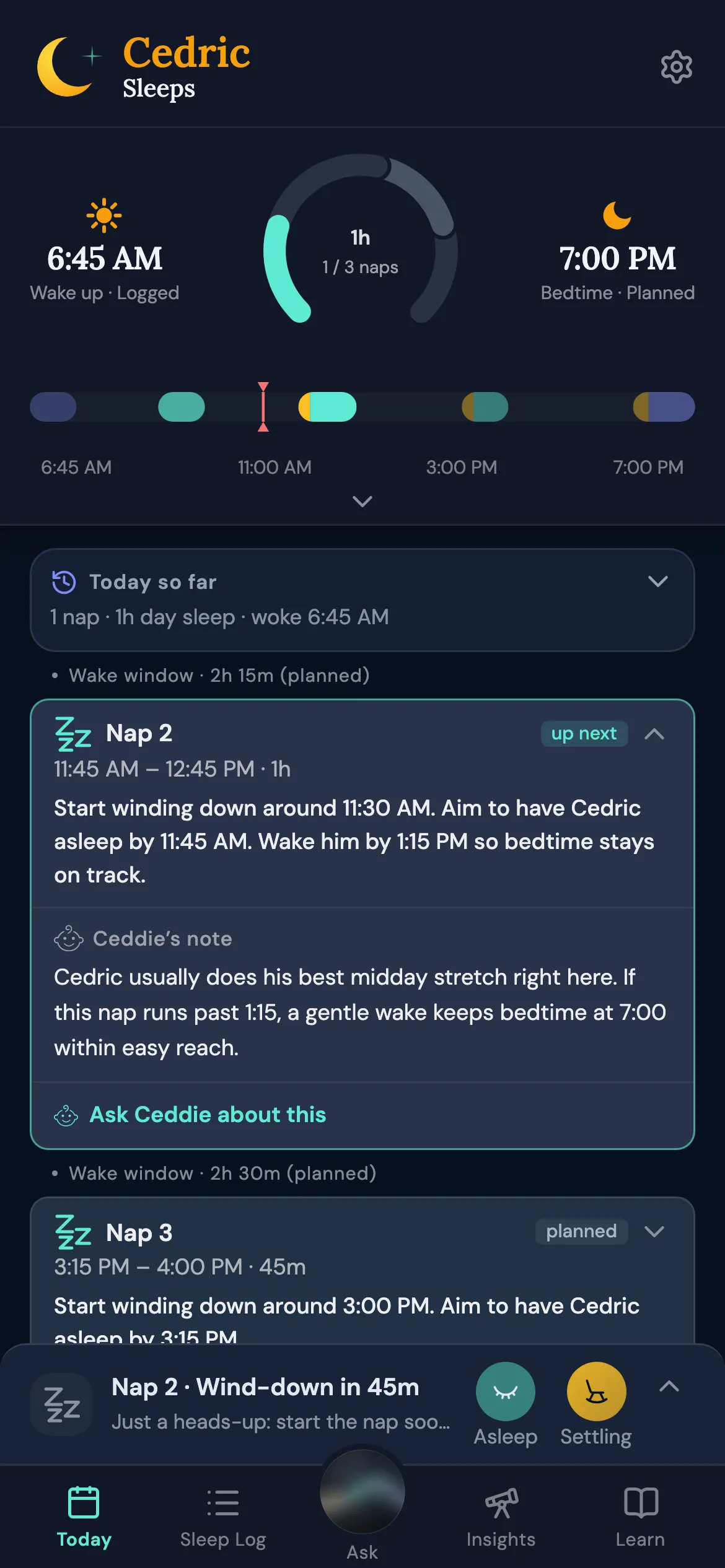
Today: the day's ring and timeline, and the next nap with its times and Ceddie's note

Four ways to schedule

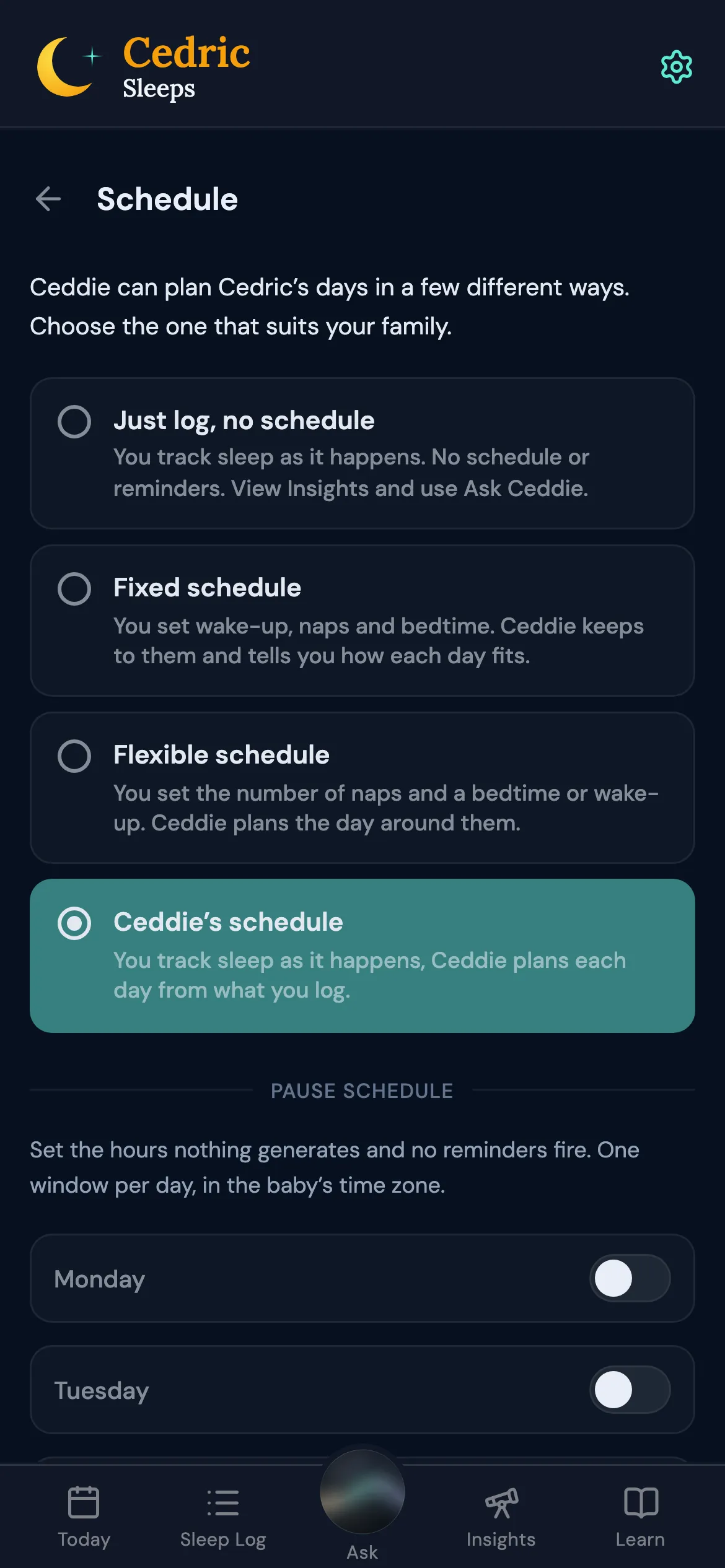
Choose how your days are scheduled in Settings. Ceddie's schedule builds each day from what you log. A Fixed schedule keeps your own wake-up, nap, and bedtime times. A Flexible schedule takes the number of naps and one time, bedtime or wake-up, and Ceddie plans the day around them. Just log tracks sleep with no schedule and no schedule reminders.

Switching asks first, and nothing changes until you tap Switch.

Settings, Schedule: the four schedule modes with Ceddie's schedule selected

Your own times, checked

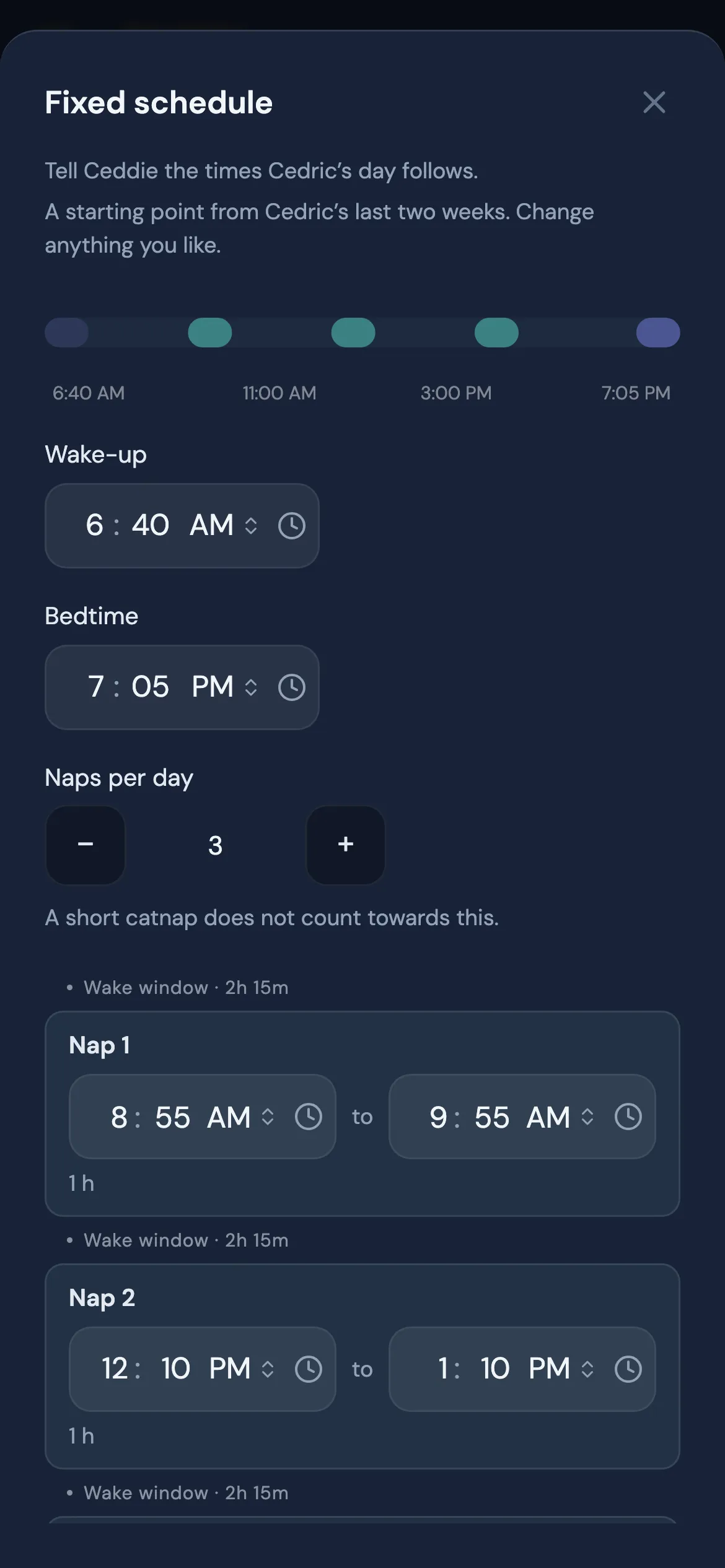
Setting up a Fixed schedule starts from your baby's last two weeks when at least seven days are logged, or from three quick questions. Times stay inside sensible limits for your baby's age, and you can check the schedule with Ceddie before you save it.

The Fixed schedule setup: wake-up, bedtime, naps per day, and each nap's times

Pause the schedule

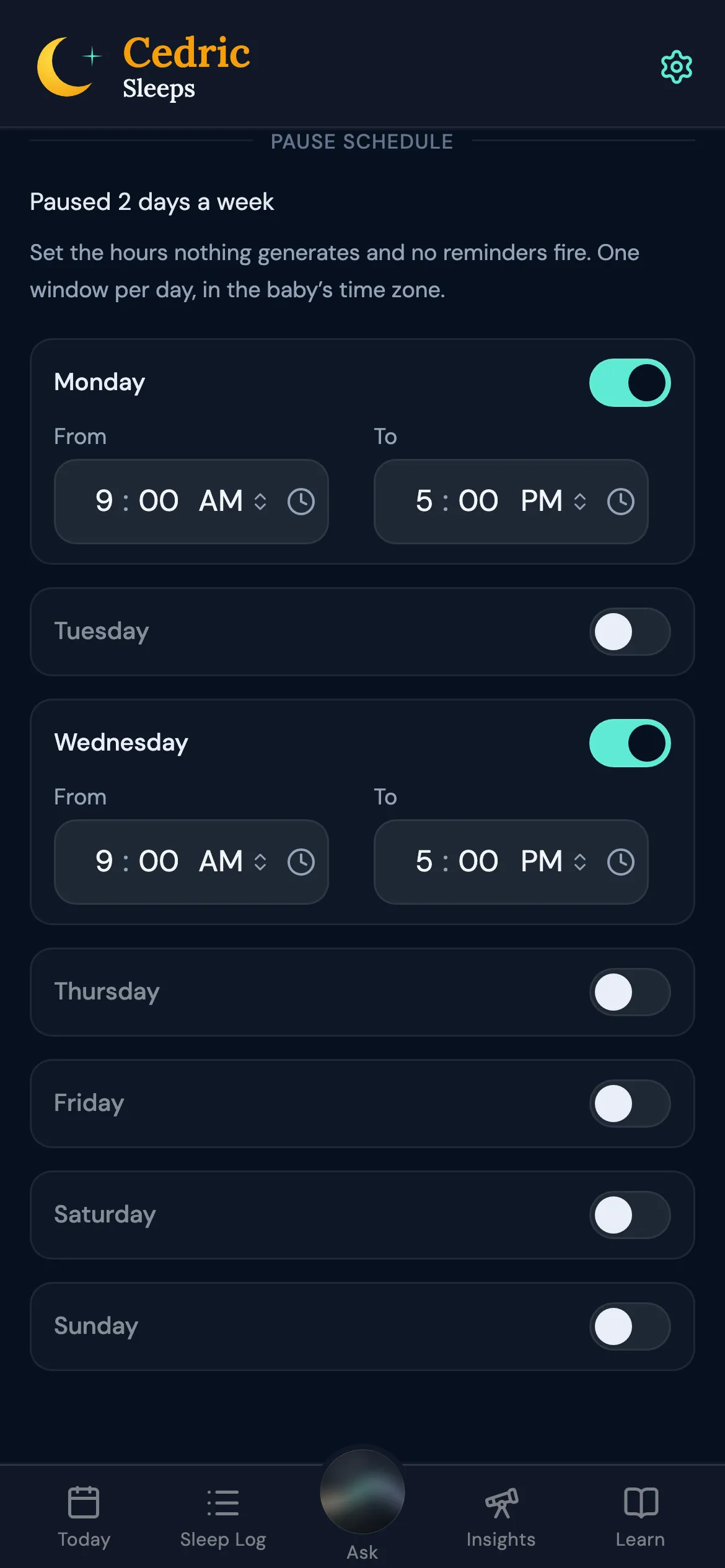
Set a weekly pause, one window per day, or pause by hand until you resume. During a pause Ceddie builds no schedule and sends no reminders, and logging stays open. When it ends, Ceddie checks what happened during those hours before it builds the next schedule.

Settings, Pause schedule: a weekly pause from 9 AM to 5 PM on two weekdays

Log

One-tap timers

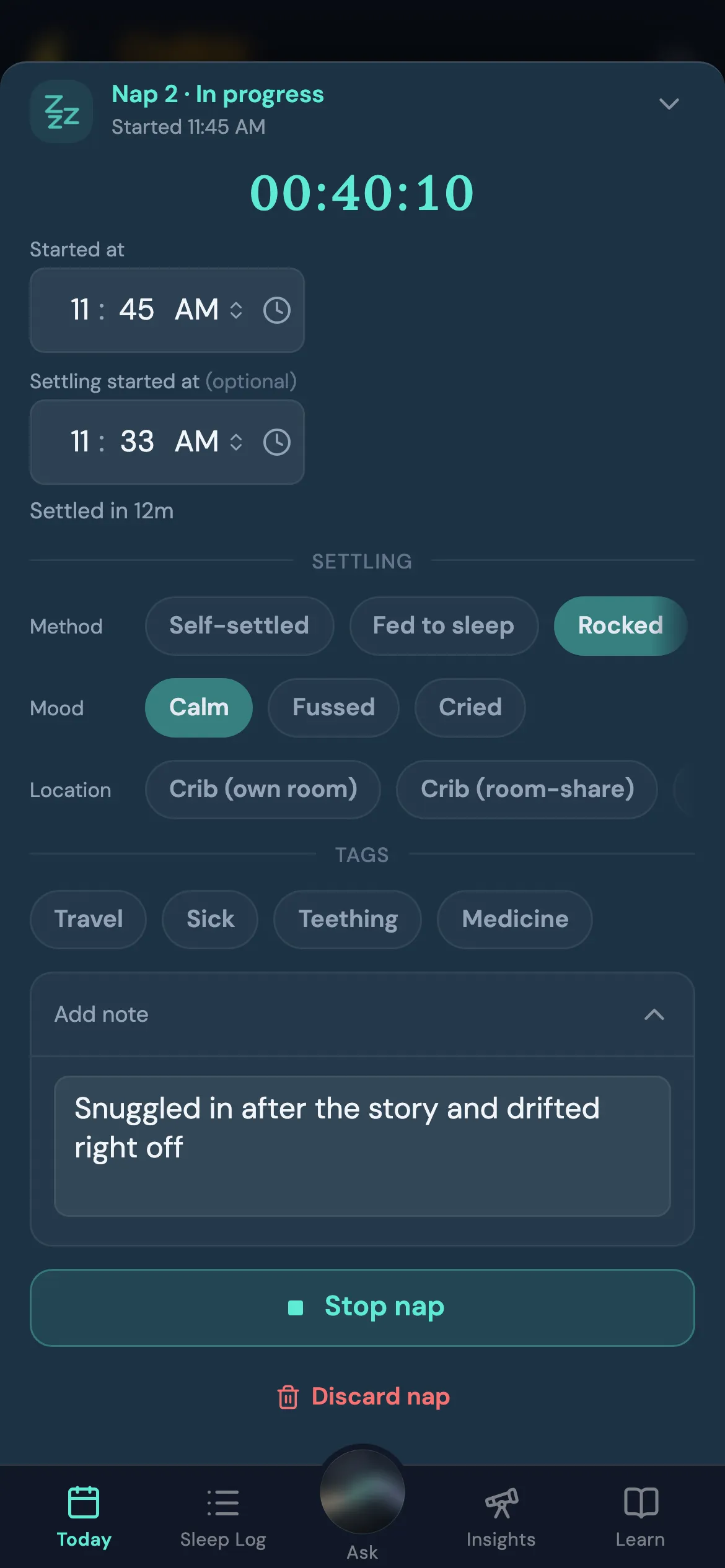
Start and stop a nap or bedtime as it happens, with an optional settling phase first. One-tap chips record how your baby settled, their mood, where they slept, and how they woke, and there's room for a note.

A nap in progress with its timer, settling chips, tags, and a note

Night wakes

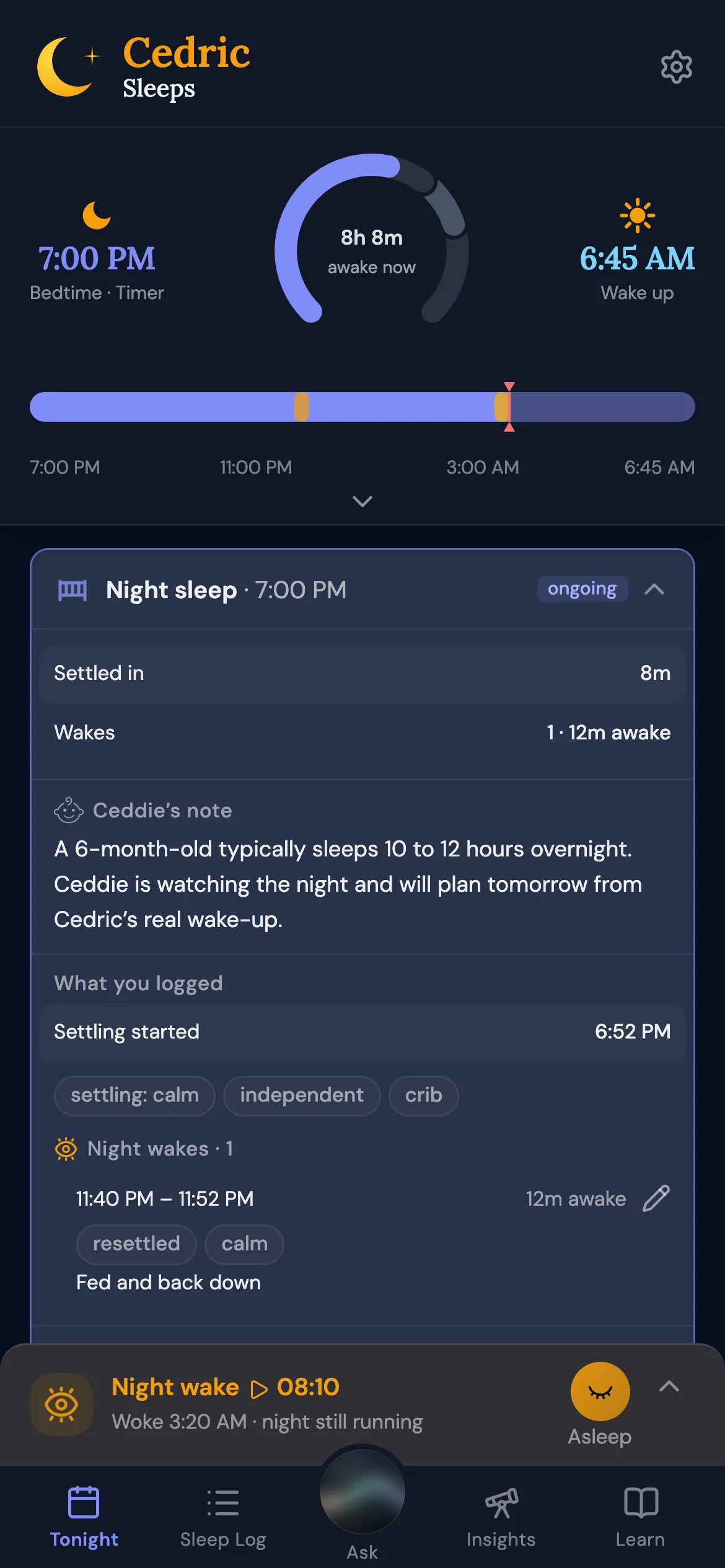
Log each night wake as it happens, right from the night's timer, and Today shows when morning is expected.

A night sleep in progress with two logged night wakes and the expected morning wake

Catch up later

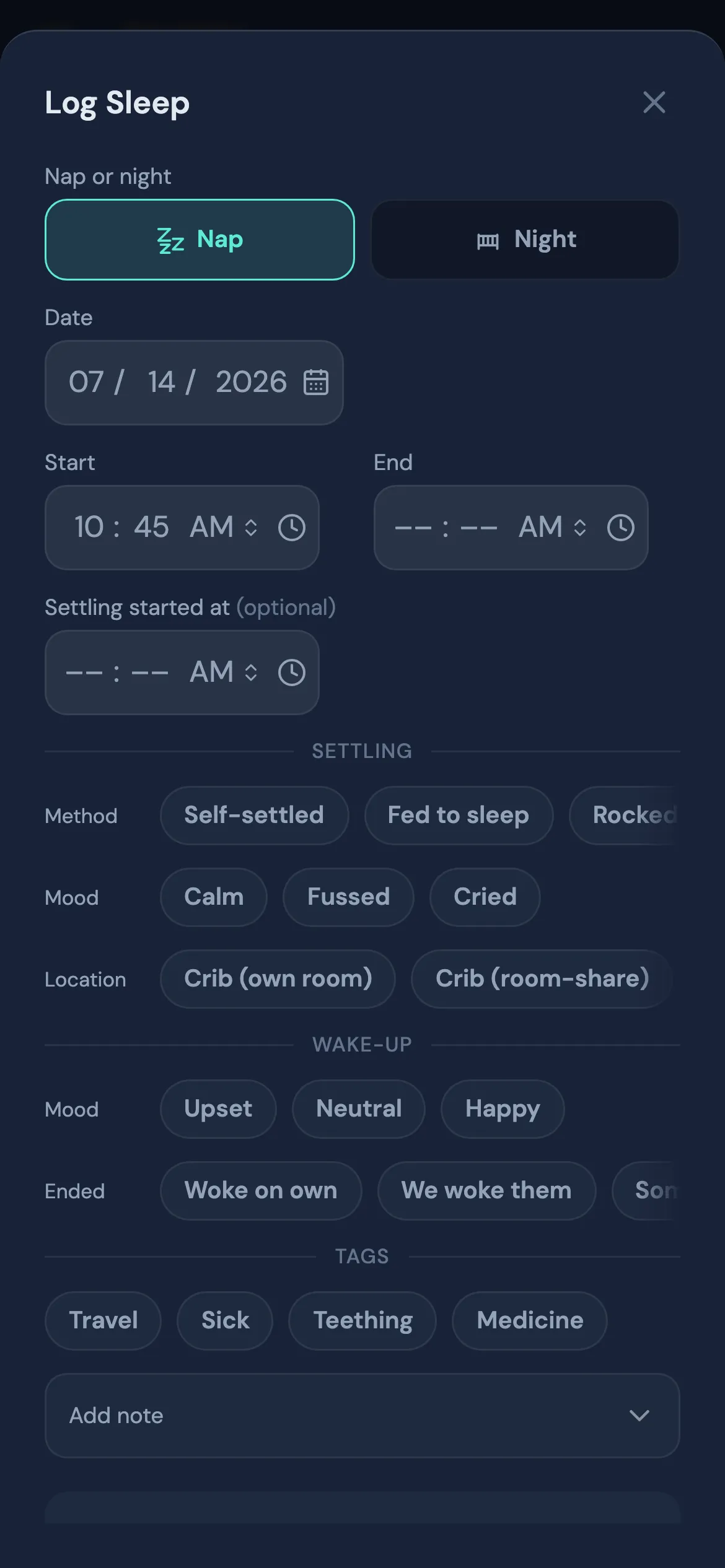
Missed the timer? Log a past sleep with its times, chips, and notes, or edit or delete any sleep you've logged. Ceddie rebuilds today's schedule from the change.

The Log Sleep sheet for adding a sleep that already happened

Works offline

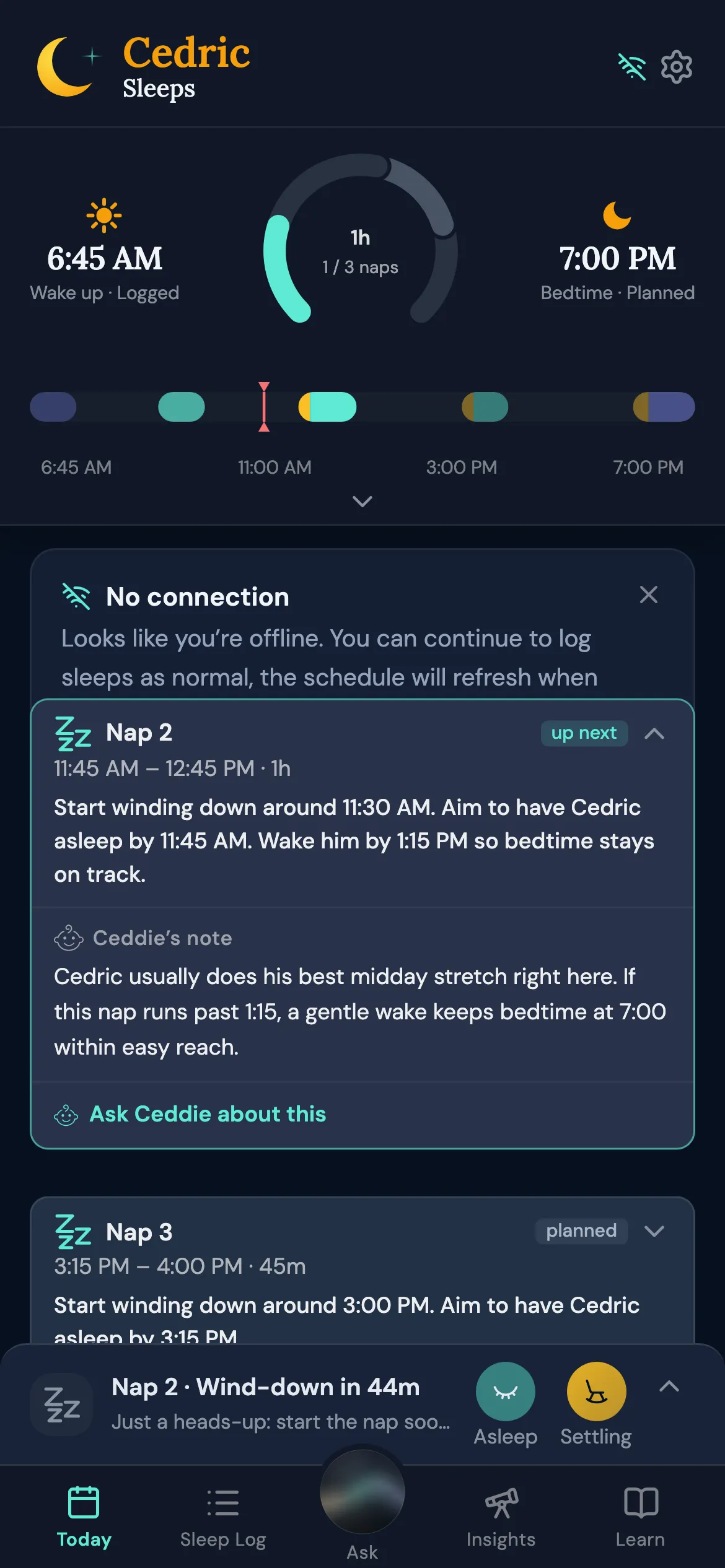
No signal? On a flight or out of range, the sleep timer works exactly as it does online, so you can log a nap at 35,000 feet. Your taps are saved on your phone and sync the moment you're back online. Today keeps the last schedule and shows the sleeps you logged; a fresh schedule arrives once you're connected again.

Today with the No connection card, still showing the schedule

Understand

Insights recaps

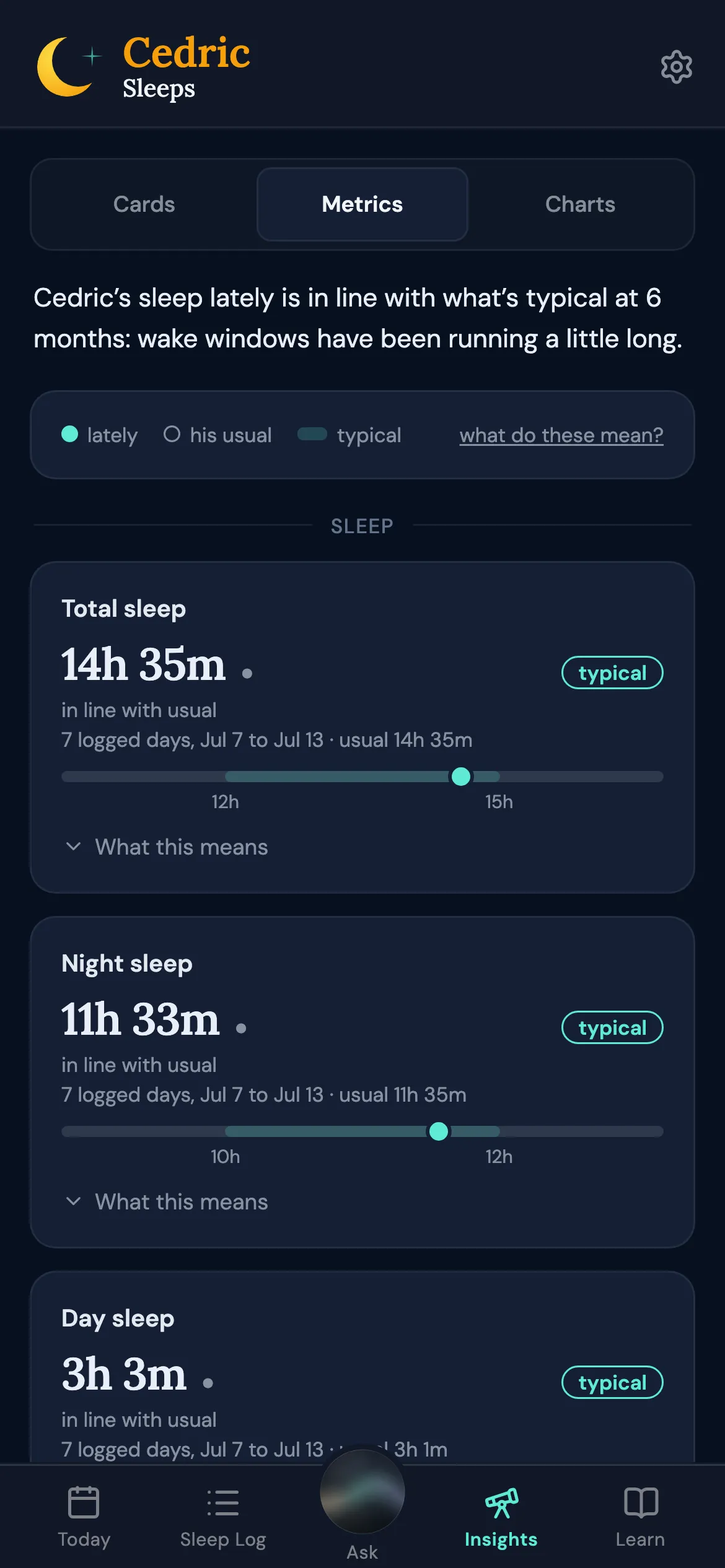
Insights sets your baby's recent sleep beside their own usual and what's typical for their age: total sleep, night and day sleep, naps per day, wake windows, and more. When there isn't enough logged yet, it says so rather than guessing.

Insights metrics: total sleep and night sleep against the baby's usual and the typical range

Insight cards

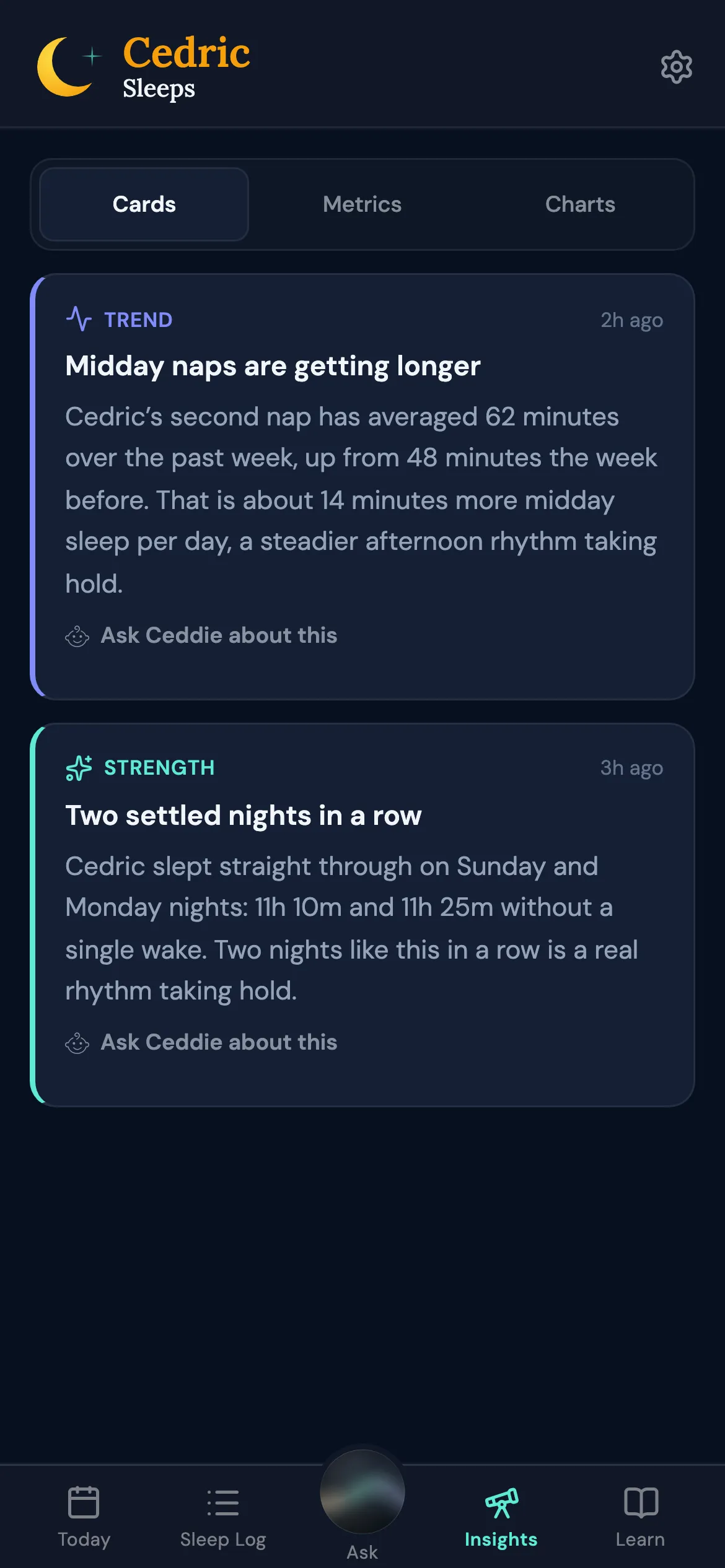
Once a day, after the night ends, Ceddie writes cards about patterns that run across several days, each with something to try or something to expect. A quiet week can mean no new cards: nothing is invented to fill the space.

Insight cards about longer midday naps and two settled nights in a row

Rhythm charts

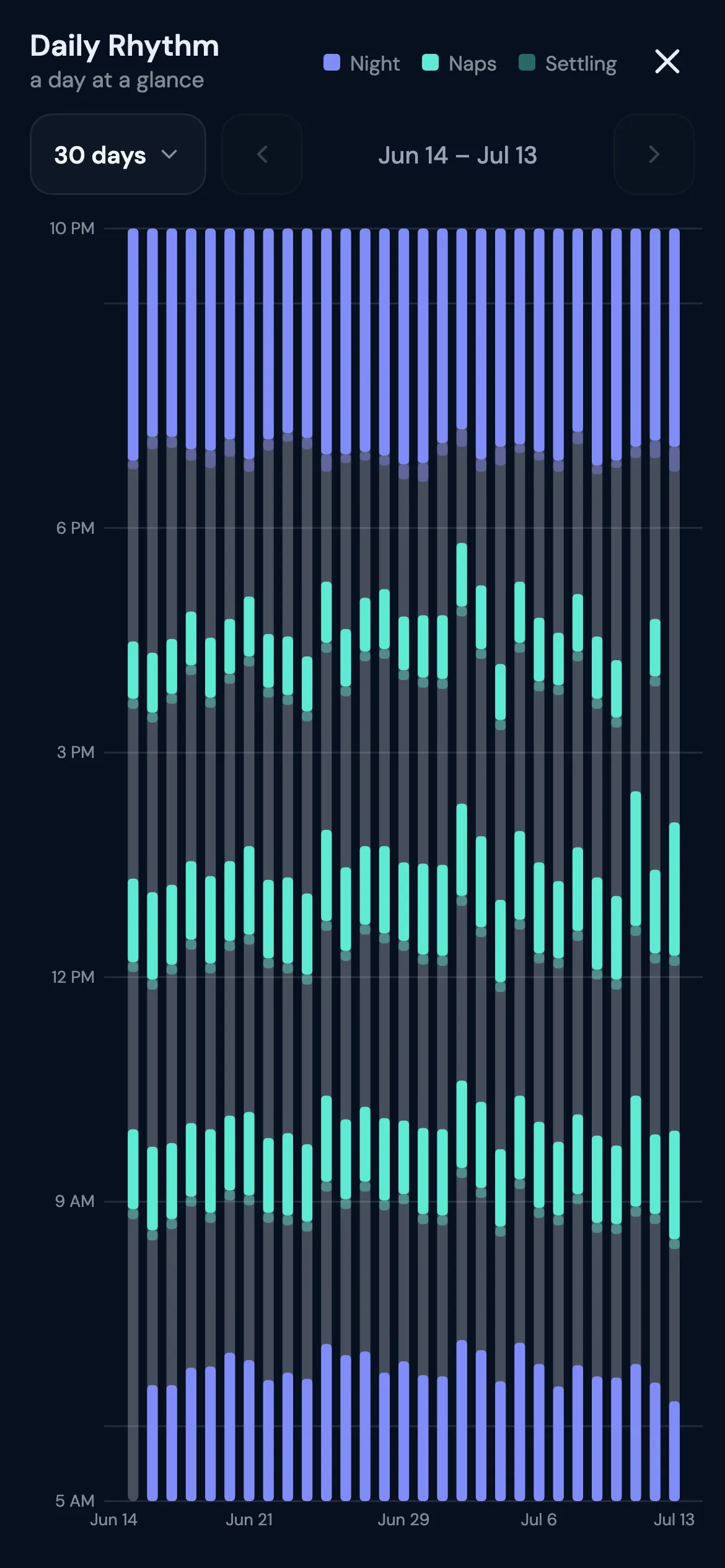
The charts put your baby's days side by side, naps and night sleep together, so the pattern across weeks is easy to see.

The Daily Rhythm chart: thirty days of naps and night sleep side by side

Nights at a glance

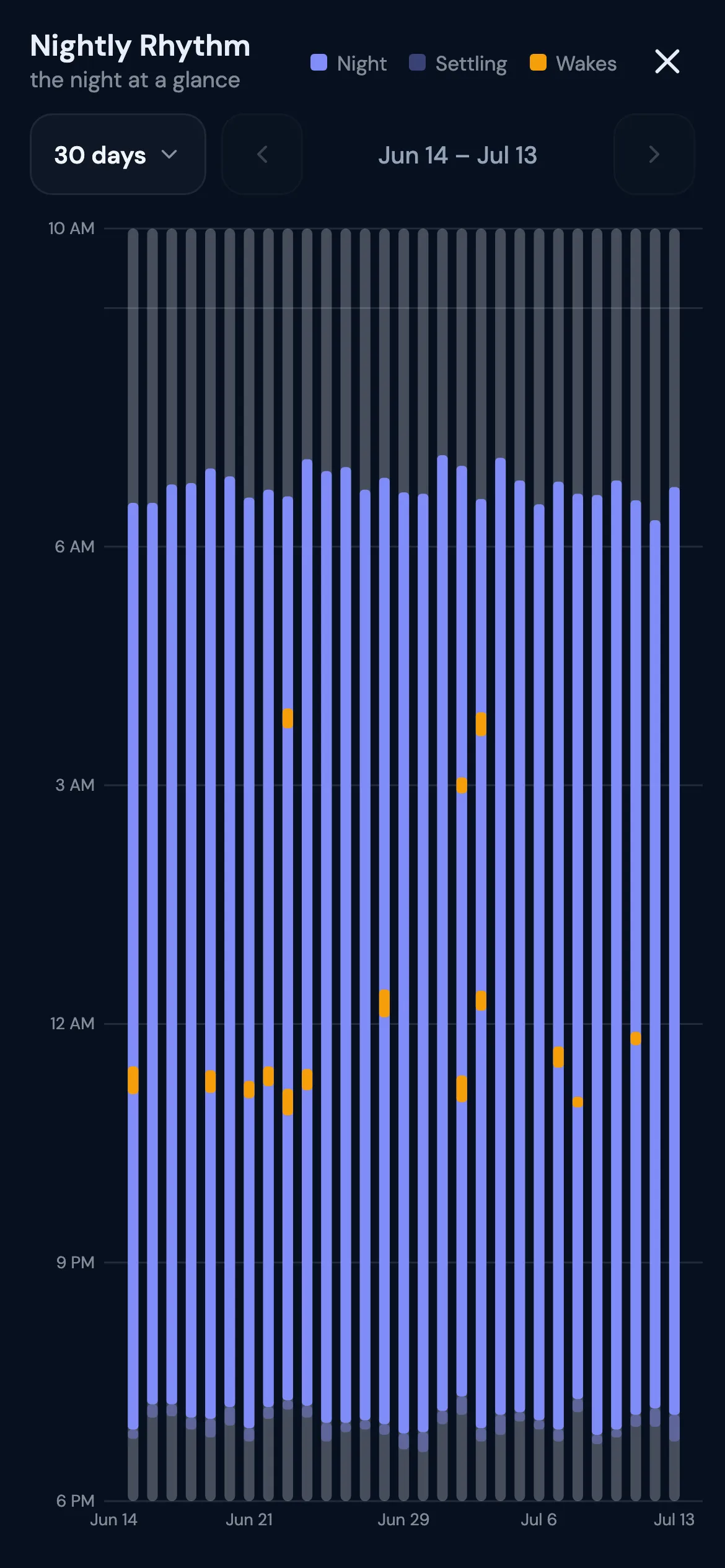
The night charts line nights up the same way, with each night wake marked, so you can see how nights are changing.

The Nightly Rhythm chart: thirty nights side by side with night wakes marked

Nap-transition coaching

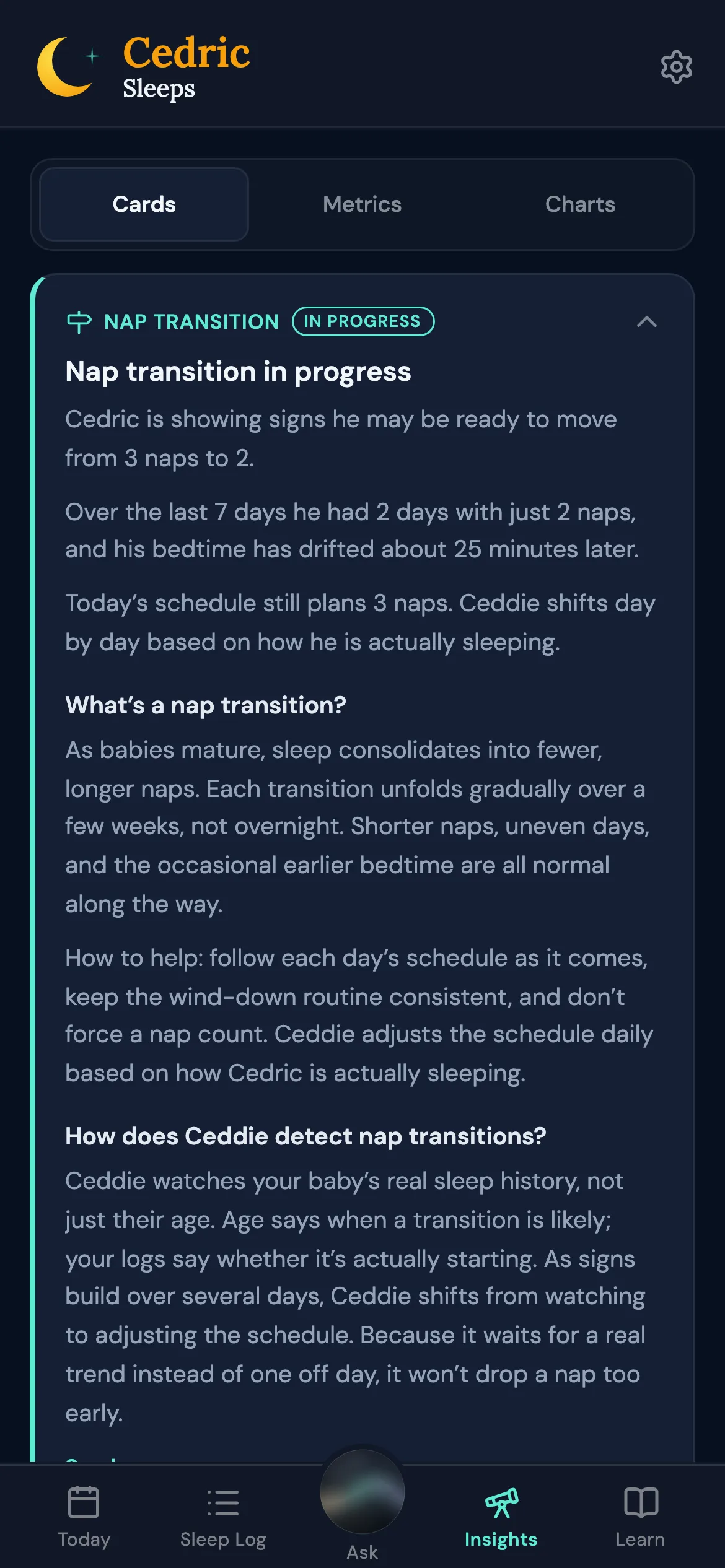
Ceddie watches for the move from four naps to three, three to two, two to one, and one to none, from your baby's own logged days rather than the calendar. When the days show it, the schedule moves to the lower nap count; illness or a run of disrupted days holds it off.

The nap transition card: signs of moving from three naps to two, and what Ceddie does

Ask

Ask Ceddie

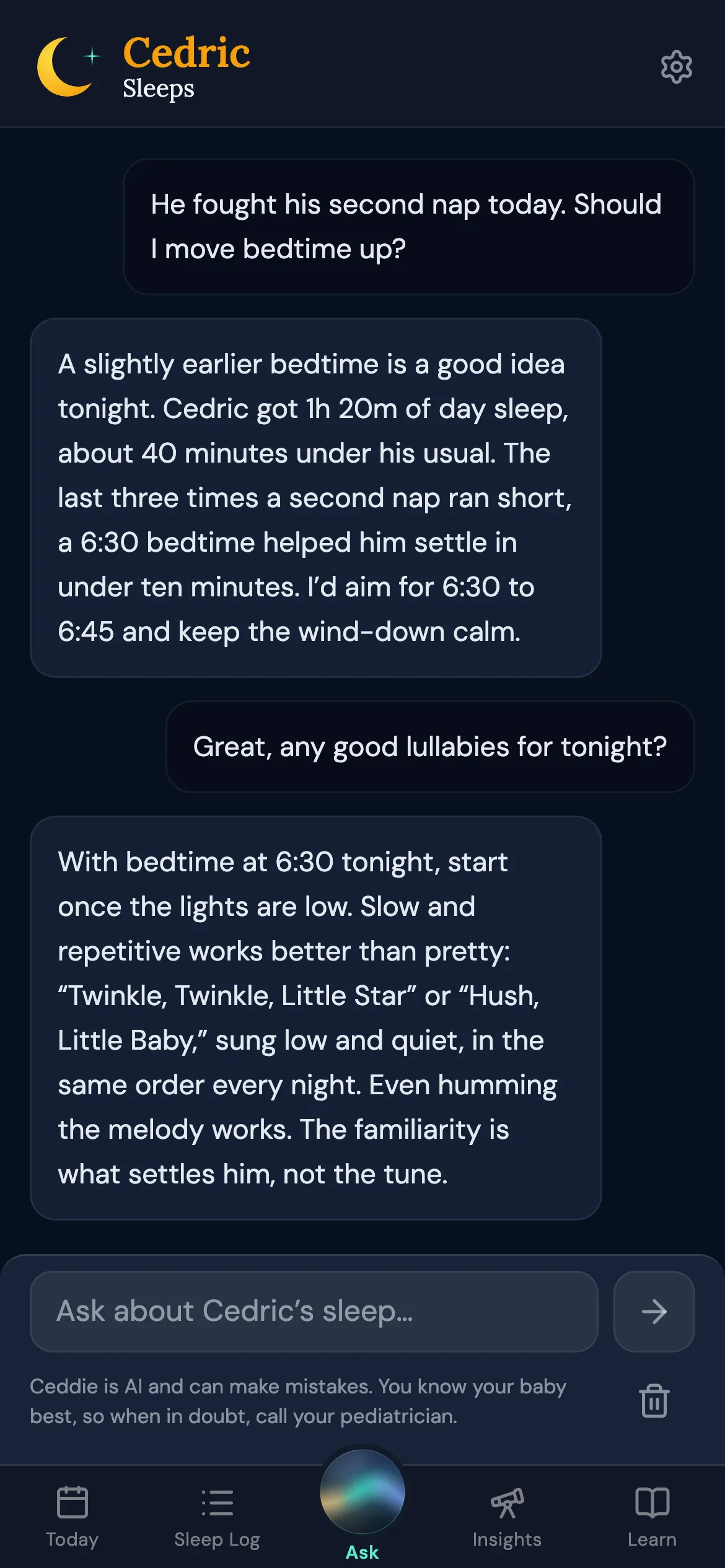
Ask a question about your baby's sleep in your own words: a short nap, an early morning, whether bedtime should move. Ask Ceddie reads and reasons, and it never logs, edits, or changes anything in the app.

Ask Ceddie answering a question about moving bedtime earlier after a short second nap

Together

The whole care team

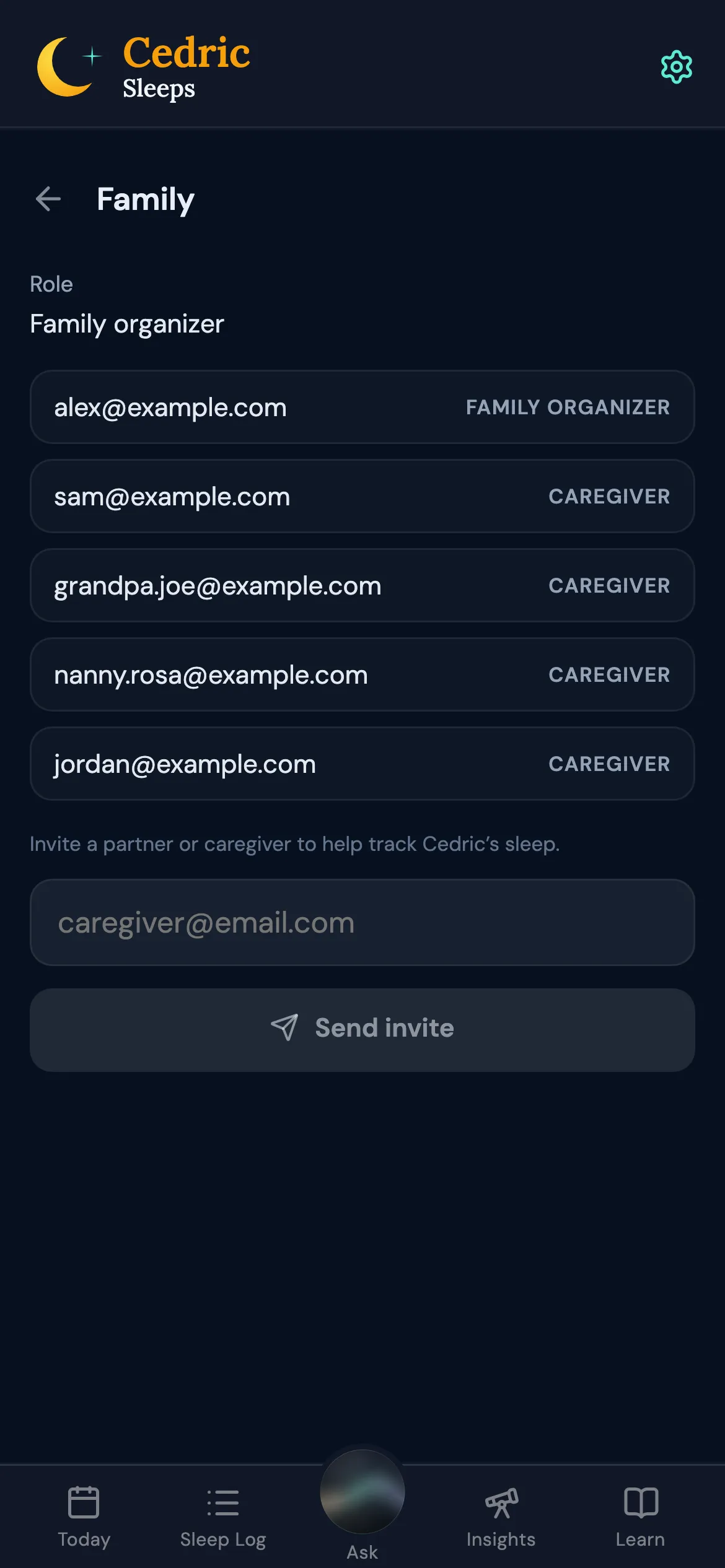
Invite a partner or caregiver from Settings, and everyone logs to the same baby. The family organizer chooses the schedule mode, and every caregiver sees the same choice. Turn on nap, bedtime, and schedule reminders on your iPhone.

Settings, Family: the family organizer and an invited caregiver

Away

Travel across time zones

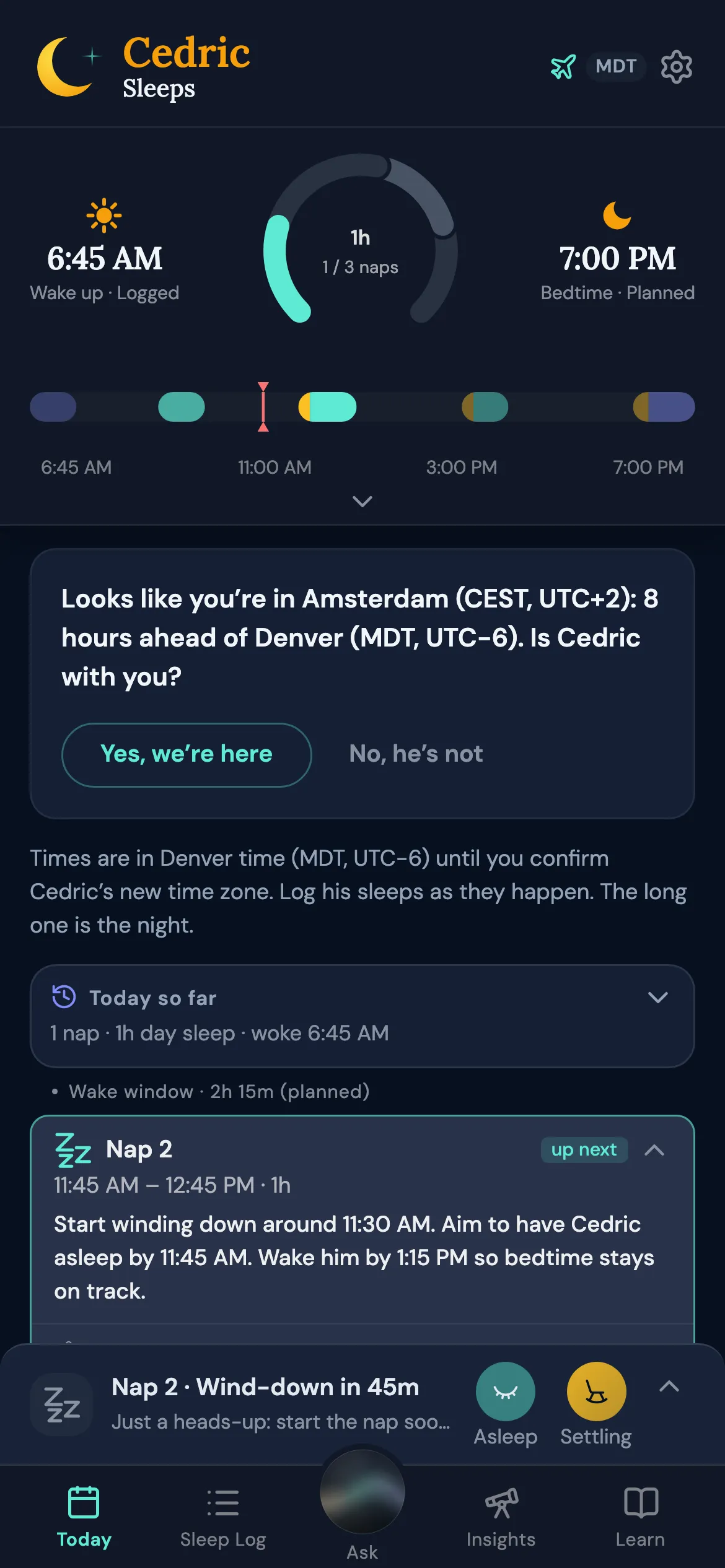
When Ceddie detects you've traveled, it asks whether your baby came along. One tap, and the schedule and reminders follow the new clock. After a change of three hours or more, each day's schedule eases naps and bedtime toward the local clock.

Your baby's time zone changes only when a caregiver says so, and Ceddie never uses your location: only the time zone your phone is set to.

Today asking whether the baby is with a parent whose phone is now in Amsterdam

When the clocks change

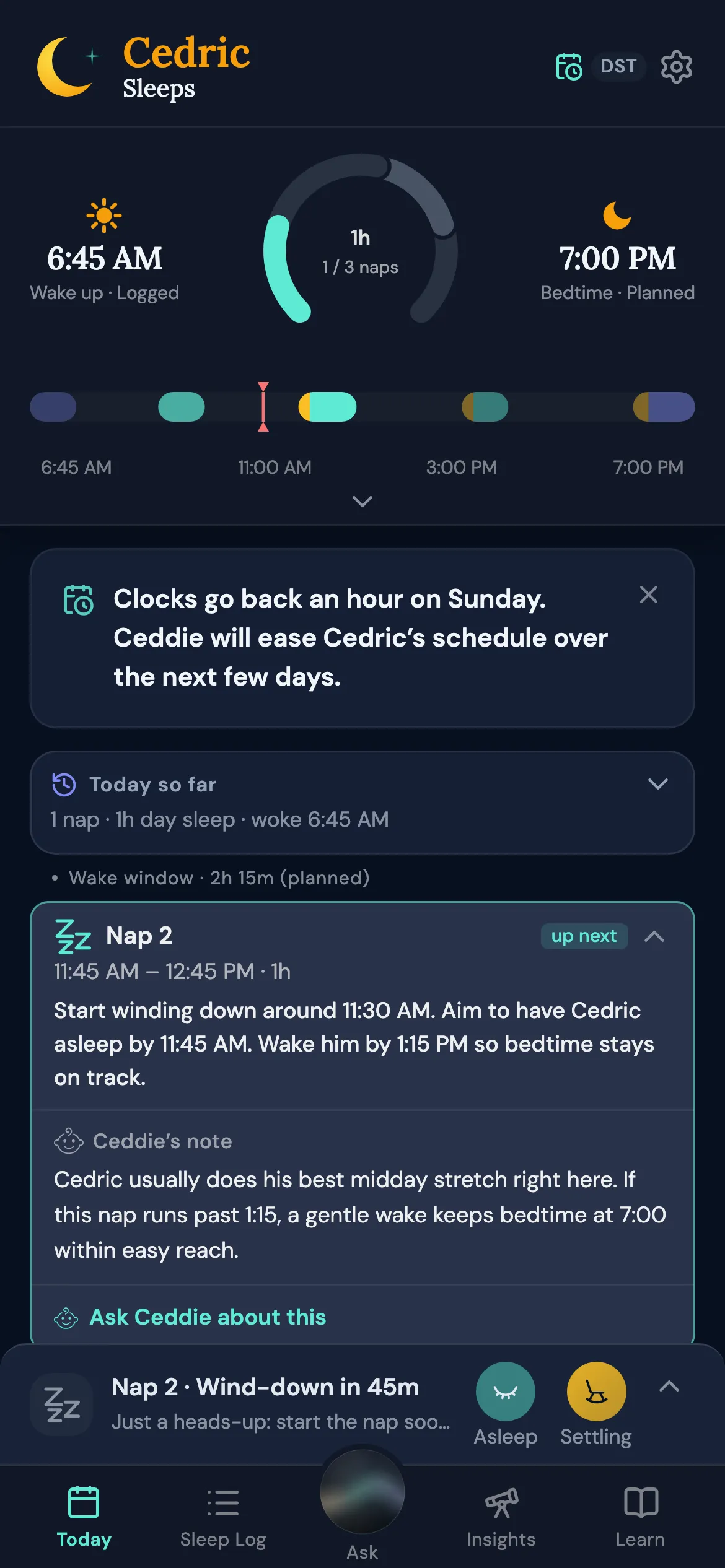
Before a daylight saving change, a card says what's coming, and Ceddie eases the schedule over a few days: 15 to 20 minutes a day for a one-hour change, or in one step for a baby who adapts easily. A night that crosses the change is measured by how long your baby slept, not by the clock.

Today with the card saying the clocks go back an hour on Sunday

Early days

From birth

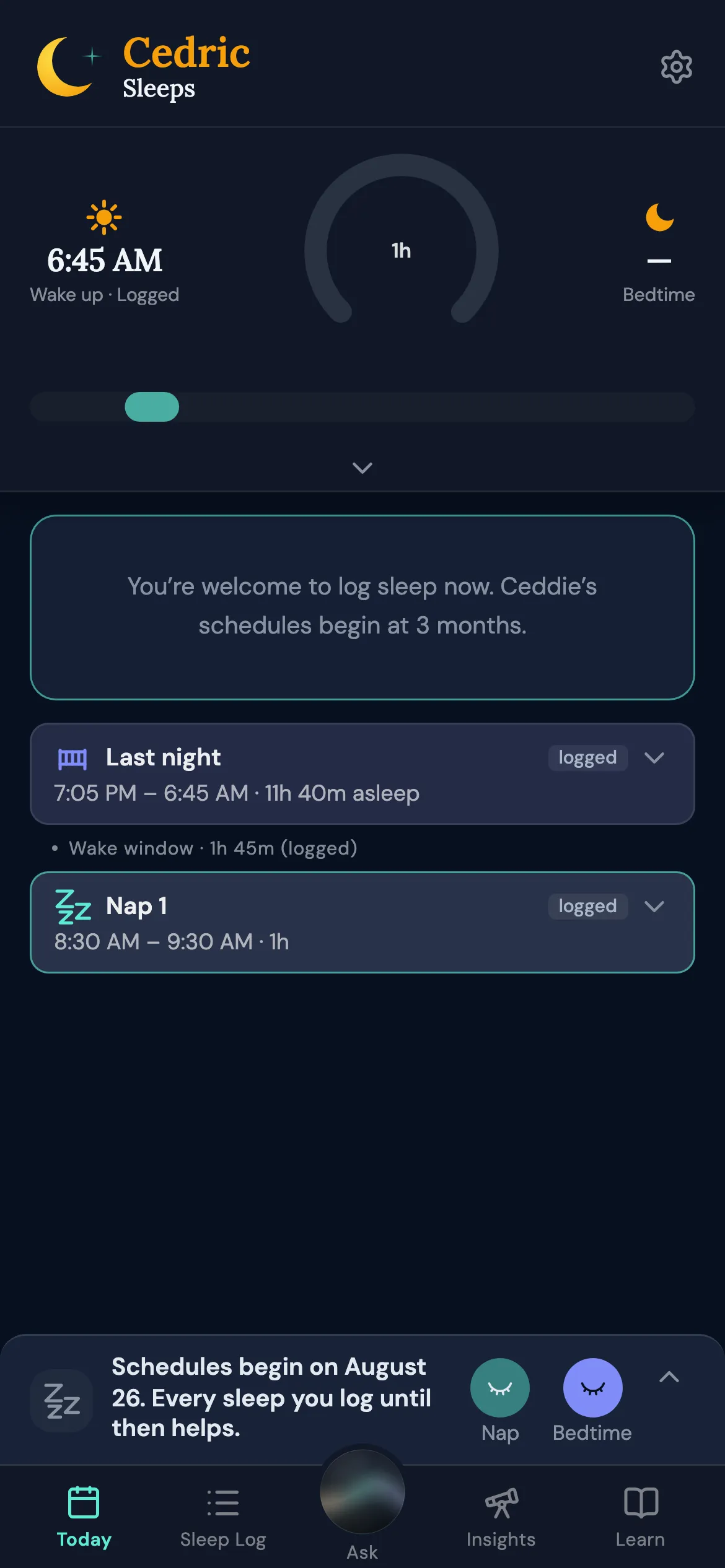
Logging, Insights, and Ask Ceddie work from birth, and Insights take your baby's young age into account. Schedules begin the day your baby turns 3 months, and Ceddie builds them until 4 years.

Your free trial starts when schedules do.

Today for a seven-week-old: logged sleeps and the date schedules begin

What parents say

5.0 on the App Store6 ratings

Highly rec!

“…got us back on track after traveling to a different time zone!”

COLizzie, September 26, 2026

Lifesaver

“…it came in SUPER handy once we started daycare and worked on managing dropping our 3rd nap.”

jj spaceship, September 11, 2026

Takes the mystery out of infant sleep

“This app is like having a sleep consultant in your pocket.”

aduchacek, July 27, 2026

Flexes with Your Baby

“…your Ceddie schedule shifts in real time based on when your baby has fallen asleep and woken up.”

JMarmon, July 30, 2026

1,800+ sleeps logged by real families

Simple pricing. Ceddie is free to download. Set up your baby, and see the first schedule Ceddie builds, before you decide. Every family gets a 7-day free trial, on either plan. After that it's $69.99/year, under $6 a month, or $9.99 month to month. One subscription covers everyone caring for your baby.